0%

Petoi Bittle kits turn a small quadruped robot into a hands-on introduction to coding, electronics, and mechanical design. But the best choice depends on who will use it. A beginner may want clear instructions and a gentle learning curve. An experienced maker may care more about sensors, programming flexibility, and room for modifications. Even a compact robot can involve plenty of trial and error.

Petoi founder Rongzhong Li captures the learning goal: “Build, program, test, and improve—that is how a robot becomes a teacher.” This guide compares seven Petoi Bittle programmable robot options through practical buyer questions: What comes in the box? Which coding tools are supported? How much assembly is required? Can the kit grow with the learner? Those details matter more than a long feature list. A colorful package can still hide a steep setup process.

There is no perfect kit for everyone. A younger learner may need patient adult guidance, while a hobbyist may quickly outgrow a basic configuration. Small parts, battery life, and setup time deserve a close look, too. This overview aims to make those trade-offs visible, not promise effortless results. Choose a kit that fits the user’s skills, space, and willingness to tinker. Sometimes, the first walk looks a little wobbly. That is part of the lesson.
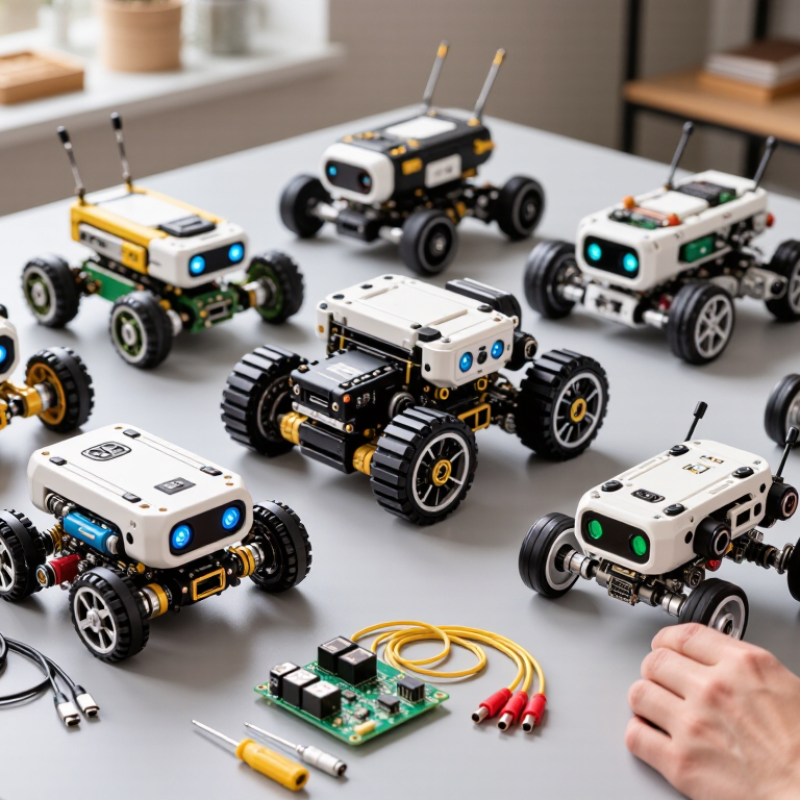
7 Best Petoi Bittle Programmable Robot Kits for Buyers

Understanding the Petoi Bittle Programmable Robot Platform

A programmable quadruped kit is a compact robotics platform, not simply a ready-made toy. Its frame, four servo-driven legs, controller, battery, and sensors work together. Users can adjust movement through code, then observe how timing changes each step. On a smooth desk, a small calibration error may make one leg drag. That is useful feedback, though sometimes frustrating.

The International Federation of Robotics reported about 4.28 million industrial robots operating worldwide in 2023. This figure shows automation’s scale, but it does not measure educational robot quality. For buyers, the platform’s learning value depends more on clear coding tools, replaceable parts, and accessible technical guidance. Check whether lessons explain gait timing and sensor readings, not just provide preset motions. A robot that walks well on one surface may stumble on carpet. That limitation matters.

Tips: Begin with slow steps on a level floor. Change one setting at a time, and record what happens. Keep spare screws nearby; small parts are easy to misplace. Don’t expect perfect walking immediately. The useful lesson is often in the stumble.

Key Factors for Comparing Bittle Robot Kits

When comparing programmable quadruped robot kits, check what each package actually includes. Some provide only the robot and basic tools; others add sensors, spare parts, or printed guides. Inspect the frame material, joint count, and battery access. These details affect durability and repair time. A clear wiring diagram can save an evening of guesswork. That matters.

Tips: Check whether lessons match your coding level. Confirm that replacement parts are available, and read the battery specifications before ordering. A low price can hide missing essentials.

Compare programming options, too. Block-based software may suit a first project, while text-based coding allows more control as skills grow. Look for sample movements and sensor exercises, not just a feature list. If possible, review a setup guide before buying; unclear assembly steps can turn a fun build into a frustrating one. I would not assume a longer feature list means a better learning kit. Some capabilities may be difficult to use without extra parts or experience. Consider the workspace as well: a small, smooth floor is safer for early walking tests than a cluttered desk.

Seven Petoi Bittle Kits and Their Main Features

A small quadruped robot kit can suit very different buyers. These seven kit types describe common configurations; included parts can vary by seller. A starter kit usually focuses on assembly and basic movement. A STEM kit may add guided lessons and classroom activities. A coding kit emphasizes programmable actions, often through block-based tools or text code. A sensor kit adds components for detecting nearby objects or changes in light. A wireless-control kit offers phone or computer commands. An expansion kit may include extra sensors or mounting parts. A classroom bundle typically supplies several units or shared components. Check the parts list carefully.

The main differences are build effort, programming access, and included hardware. Look for clear assembly instructions, replaceable components, and a stated age or skill range. Some kits need tools, batteries, or a separate controller, which can affect the real cost. A sensor package sounds useful, but it matters only if you plan to program sensor responses. Small legs and joints also need careful handling. I would compare sample lessons before choosing; a flashy feature list does not guarantee an easy first project.

Tips: Confirm what is included, then match it to your workspace and experience. Keep screws in a shallow tray. Test movement on a clear, level floor. Allow time for calibration; the first walk may look uneven.

7 Best Programmable Robot Kits: Buyer Evaluation Priorities

Suggested points for comparing robot kits—not measured specifications or ratings of individual products. Consider each area when assessing a kit.

Programming options receive the highest suggested weight, followed by movement and sensors. Adjust these priorities to suit the learner’s age, experience, and goals.

Programming, Sensors, and Expansion Options

A programmable quadruped kit is most useful when its coding tools reveal what each command changes. Beginners can start with block-based movement, then edit short scripts for walking, turning, and adjusting stride length. Check whether the controller supports a familiar language and gives clear error messages. Tiny screens and vague instructions can turn a simple lesson into guesswork.

Sensors make experiments tangible. A distance sensor can prompt the robot to stop before a book; a motion sensor can help it respond to a tilt. Look for accessible ports and published wiring diagrams before adding modules. Extra sensors are not automatically better: poor calibration can make the robot twitch or react too late. That happens. A useful kit lets learners compare readings with what they see, then adjust thresholds and test again.

Expansion options matter as skills grow. A compatible camera, wireless module, or extra sensor can support new projects, but confirm power limits and software support first.

The World Economic Forum’s Future of Jobs Report 2023 estimates that 44% of workers’ skills will be disrupted between 2023 and 2027.

That figure is not specific to robotics kits, but it underlines the value of practicing adaptable technical skills. A good project can begin with one sensor and a short script; it should also leave room for a learner to revise a design that does not work.

Choosing a Kit for Your Skills, Goals, and Budget

A useful robot kit should match what you want to learn, not just look impressive on a shelf. If you are new to robotics, check whether the instructions explain assembly, wiring, and basic movement clearly. A kit with guided coding examples can make the first test less frustrating. Start simple. Walking across a desk is a good early goal.

More experienced builders may want adjustable gait settings, sensor support, or access to the control code. Check which components are included, such as a battery, tools, and cables. These extras can change the real cost. Also compare the available programming options with your current skills. A familiar language may help you experiment sooner, while a new one can add a worthwhile challenge.

Think about where the robot will run. Small feet can slip on smooth floors, and loose cables may snag during turns. A clear work area helps protect both the robot and nearby objects. Read the parts list carefully before buying. Some kits may require extra setup or patience, even when their descriptions sound beginner-friendly. That detail is easy to overlook. A modest kit with clear documentation may suit your goals better than a more advanced one you cannot yet use.

7 Best Programmable Quadruped Robot Kits for Buyers — Choosing a Kit for Your Skills, Goals, and Budget
Kit Option Best For Typical Skill Level What to Look For Programming Path Estimated Budget (USD)
1. Starter Assembly Kit First-time builders who want to learn how a small walking robot is put together Beginner Core frame, servos, controller, basic fasteners, and clear assembly instructions Preloaded movements, then simple block-based or example-code changes $250–$350
2. Coding-Focused Kit Hobbyists who want to experiment with movement and control code Beginner to intermediate Programmable controller, USB connection, accessible code examples, and replaceable parts Block-based coding followed by Python or Arduino-style programming, depending on the controller $300–$450
3. Sensor-Ready Kit Builders interested in obstacle detection and basic interaction Intermediate Expansion ports and compatibility information for distance, touch, or other simple sensors Code sensor input and connect it to movement or response routines $350–$500
4. Education Bundle Classrooms, clubs, and guided workshops Beginner to intermediate Lesson materials, repeatable activities, spare fasteners, and support for group learning Structured exercises progressing from basic commands to custom behaviors $350–$550
5. Camera-Expansion Kit Experimenters exploring visual input and remote monitoring Intermediate to advanced Camera-module compatibility, mounting hardware, and suitable controller or computing support Combine camera input with separate processing hardware and custom software $400–$600
6. Customization Kit Makers who want to modify the robot’s appearance or add accessories Intermediate Accessory mounting options, documented dimensions, and access to replacement components Adapt existing movement code and test changes after adding accessories $300–$500
7. Spare-Parts and Maintenance Bundle Owners who already have a compatible robot and want to keep it running Any level Matching replacement servos, fasteners, cables, and clear compatibility details Useful for restoring the existing setup; programming features depend on the original controller $40–$180

Budget figures are approximate planning ranges in USD, not quoted prices. Actual contents, controller support, accessories, and regional pricing vary; confirm compatibility and included components before purchasing.

FAQS

What should beginners look for in a quadruped robot kit?

Choose clear assembly, wiring, and movement instructions. Guided coding examples help. Start small. Walking across a desk is a useful first test.

Which programming tools are helpful for learning?

Block-based controls can introduce basic movement. Short scripts let learners adjust turns and stride length. Clear error messages matter; vague instructions can make small problems confusing.

How can sensors make a project more engaging?

A distance sensor can stop the robot before it reaches a book. A motion sensor can help it respond to a tilt. Check wiring diagrams before adding modules.

Why should sensor readings be calibrated?

Poor calibration can make a robot twitch or react too late. Compare its readings with what you see, then adjust thresholds. It may still need another test.

What should I check before adding expansion modules?

Confirm that the controller supports the module’s software and power needs. A camera, wireless module, or extra sensor may expand a project, but compatibility is not automatic.

Should I choose a kit based on its advanced features?

Match the kit to your current skills and goals. Adjustable gait settings may suit experienced builders. A modest kit with clear documentation may be more useful.

How can I estimate a kit’s real cost?

Check whether the battery, tools, and cables are included. Missing parts can change the total cost. Read the parts list closely.

Where should a quadruped robot run?

Use a clear work area and watch for loose cables. Small feet may slip on smooth floors. Keep nearby objects out of its path.

Conclusion

This guide introduces the petoi bittle programmable robot platform and explains what buyers should consider when comparing kits. It looks at factors such as assembly requirements, included components, programming access, sensor availability, expansion options, and overall value. Rather than treating every kit as the same, the overview highlights how differences in configuration can affect the building experience and the kinds of projects a user can pursue.

The seven kit options are compared through their main features and potential fit for different needs, from first-time builders to users seeking more room to experiment. The guide also outlines how programming tools, sensors, and add-on components can support learning and customization. By weighing personal skills, goals, preferred features, and budget, readers can narrow down the kit that best matches their interests and expectations.

Evelyn

Evelyn

Evelyn is a professional marketing specialist with a deep understanding of the company’s products and the needs they are designed to meet. She regularly contributes expert articles to the company website, offering clear, practical insights that help readers understand product features, compare......